

Features · Menu boards
Change a price. Every menu board updates.
Keep your menu in a Google Sheet you already know how to use. Change a price, add a special or mark something sold out, and your screens update within about two minutes, with no publishing.
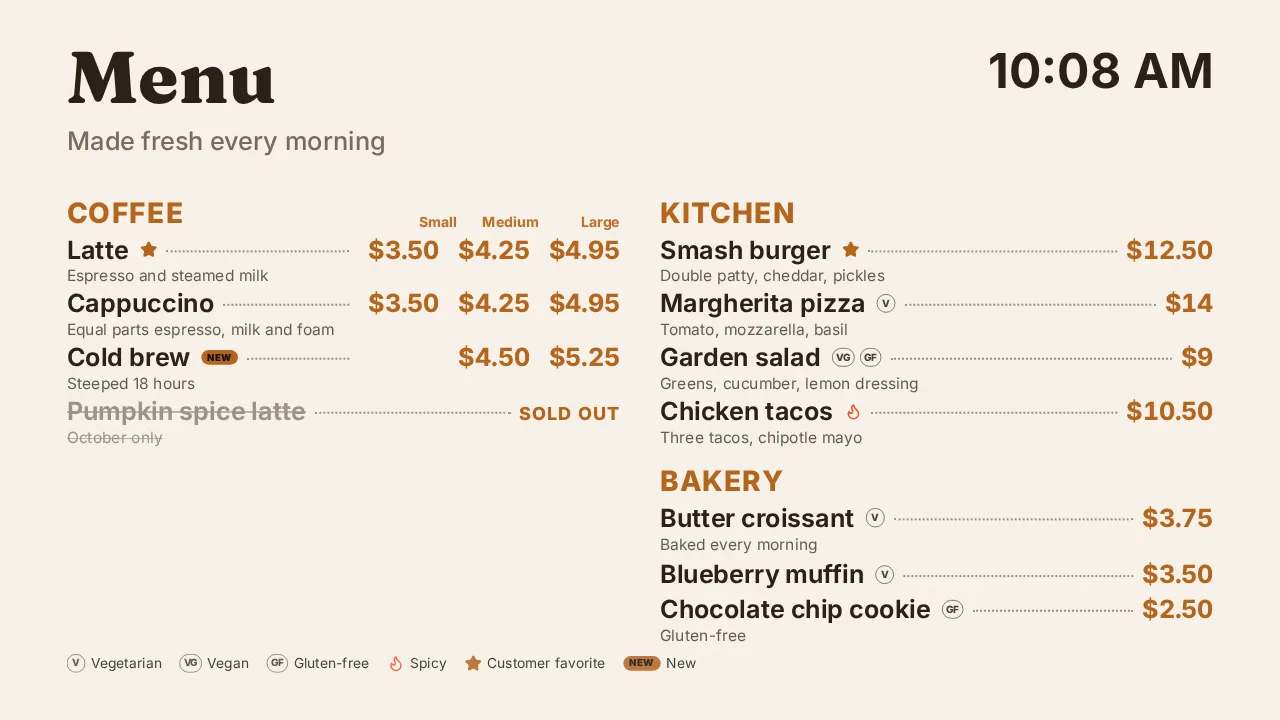
Your spreadsheet is the menu.
Item and price are all it needs. Add more columns for more detail, and the board shows them.
| Section | Item | Small | Large | Tags | Sold out |
|---|---|---|---|---|---|
| Coffee | Latte | 3.50 | 4.95 | popular | |
| Coffee | Cold brew | 5.25 | new | ||
| Coffee | Pumpkin spice | 5.50 | x | ||
| Kitchen | Garden salad | 9 | VG, GF | ||
| Bakery | Croissant | 3.75 | V |
Everything a menu needs.
Prices by size
Small, Medium, Large, 12 oz, Pint, Slice: any size names become columns of prices.
Tags and badges
Vegetarian, vegan, gluten-free, nuts, halal, spicy, new and popular, with a key along the bottom.
Sold out in one keystroke
Put an x in the Sold out column and the item is crossed out, or hidden if you prefer.
Photos
Add a Photo column with a link, or the name of a photo you uploaded, for menus with pictures.
Three layouts
A classic list, a list with photos, or photo cards, in your fonts and colors.
One sheet, every location
Point every store's boards at the same sheet and change prices everywhere at once.
Designed in minutes.
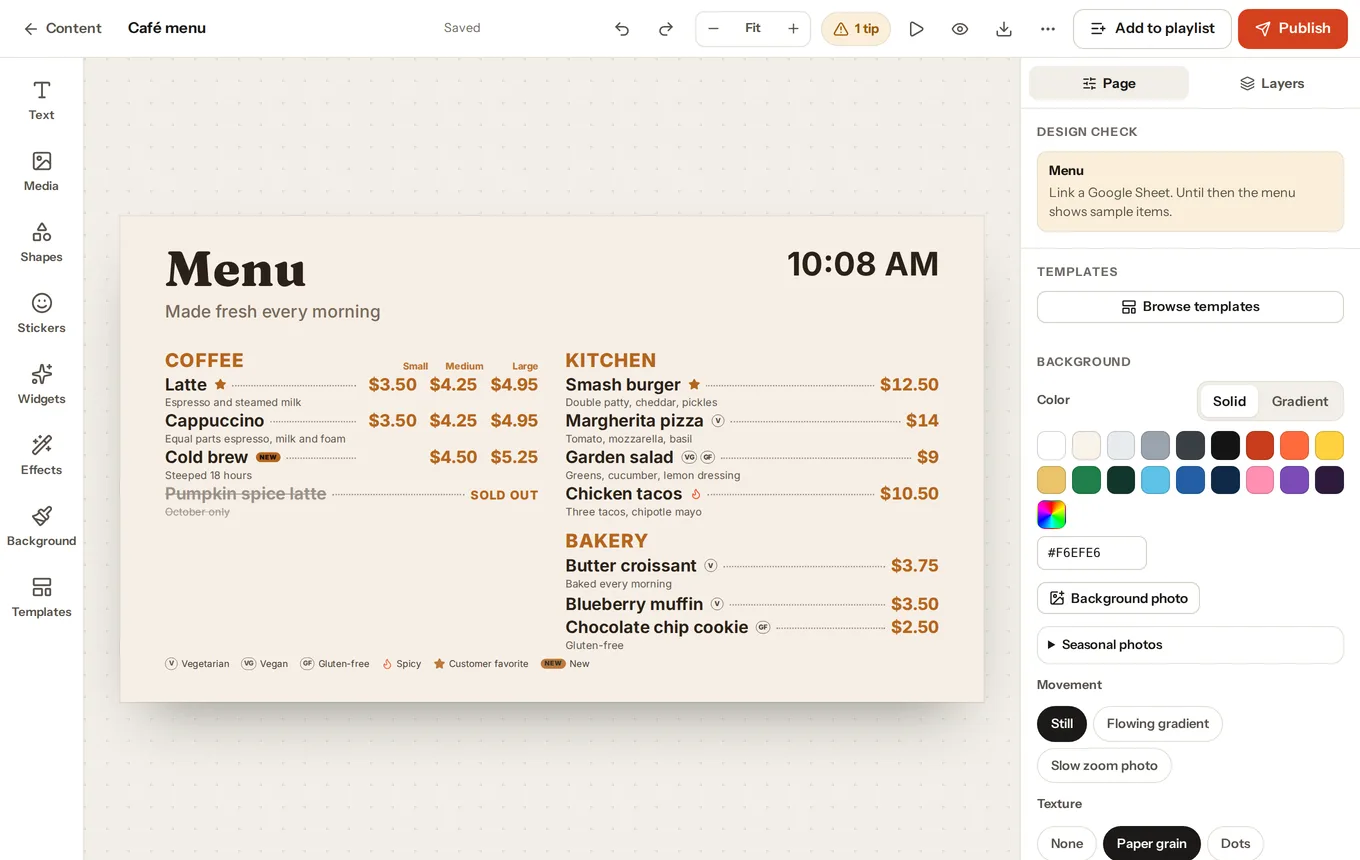
Start from one of the "Menus from Google Sheets" templates, paste your sheet's link, and change the look in SignBlink's designer. Add a clock, your logo, photos or a special of the day around the menu.
- Breakfast, lunch and dinner menus that switch by themselves with schedules
- Long menus flow into columns by themselves, keeping sections together
- Until a sheet is linked, sample items show so you can design around them
A menu board for $6 a month.
Bring a TV and a Fire TV Stick, and we'll handle the rest. See the guide.